Who is this product best for?
- Building-to-building network links
- Customer connection to a compatible wireless ISP network

Pair with compatible 2.4 GHz airMAX M equipment. Match wireless mode, channel settings and firmware at both ends. Configure through airOS. A point-to-point bridge requires a radio at each end.
24V passive PoE. 24V, 0.5A PoE adapter included. Maximum consumption: 5.5W.
The Ubiquiti airMAX NanoStation M2 NSM2 is a 2.4GHz airMAX M outdoor wireless product for a planned fixed network installation. It is intended for buyers who need a connection between fixed locations or compatible customer premises equipment, rather than an ordinary indoor Wi-Fi router. Select it around the required service, the existing remote equipment, the available spectrum, and the installation position. Those factors determine whether the product is the right fit for your network in Kenya.
A correctly designed installation can carry the network services required at the remote location, such as access to an existing internet gateway, business applications, or permitted CCTV traffic. The wireless equipment does not create an internet subscription. Your upstream router, service connection, and local distribution equipment still provide their respective functions. This distinction helps you buy the complete solution instead of expecting a radio to replace every other device in the network.
Feature
Specification
Model
NSM2
Frequency band
2.4GHz
Platform
airMAX M
Antenna
Integrated panel antenna
Documented gain
10.4–11.2dBi
Ethernet interfaces
2 × 10/100Mbps Ethernet
Maximum consumption
8W
Power arrangement
24V 0.5A passive PoE
Configuration
airOS with model specific access methods
Installation
Outdoor fixed mounting with appropriate protection
The full NSM2 has a different antenna and Ethernet arrangement from the compact locoM2. It provides 2 Fast Ethernet interfaces, with the secondary connection supporting the documented software-controlled power output. That output must be matched to a compatible downstream device; it is not a universal 48V PoE port. Both sockets remain part of a 100Mbps interface class rather than Gigabit networking.
The integrated construction keeps the antenna and radio together as a defined product. That can simplify equipment selection compared with assembling an unrelated antenna, transmitter, and RF cable package. Installation quality still matters: the feed or enclosure must be correctly positioned, mounting components must be secure, and cables need strain relief. An integrated design reduces some assembly choices but does not remove the need for a site survey or commissioning tests.
This model is intended for a directional connection to compatible fixed equipment. A common use is a customer radio receiving service from a supported base station, or a matched link between separate buildings where the installed firmware permits the intended roles. The antenna must face the remote site. It is not designed to distribute equal coverage behind, beside, and in front of the unit in the way an ordinary room access point is expected to serve nearby users.
At the far location, the Ethernet handoff can connect to the appropriate router, switch, or indoor access point. For example, a warehouse may receive a bridge connection and distribute it to its own wired equipment and indoor Wi-Fi. Keep the transport role and the local distribution role clear so cabling, addressing, and access controls are specified correctly. The best radio position is often outside, while the best client Wi-Fi position is usually inside the occupied area.
The 2.4GHz band and airMAX M platform are purchasing requirements, not interchangeable labels. Before replacing an existing device, record the remote model, firmware, operating mode, and power specification. Ask whether the proposed replacement is supported in that exact configuration. Sharing a brand or enclosure shape is not enough. A device on another band cannot connect simply because its product name resembles this model.
Choose the full NanoStation M2 when the antenna characteristics, secondary connection, and existing 2.4GHz M-series network justify it. Compare the locoM2 if compact size is the priority and the extra port is unnecessary. A 5GHz NanoStation or AC model is a different wireless selection and cannot be assumed to pair with the same base station.
The full NSM2 includes a secondary Ethernet connection, which is a meaningful difference from the locoM2. Where a supported downstream device is part of the design, verify its electrical requirements and the total load before enabling the documented power output. Do not assume that a 48V camera or an ordinary laptop Ethernet port can accept the configured output simply because the cable fits.
The additional port does not change the 100Mbps class of the interfaces or provide unlimited aggregate wireless capacity. Label which cable is the main power input and which, if any, serves a downstream device. Avoid linking the secondary socket back into the same local switch in a way that creates a loop. Keep the downstream device and its power arrangement in the installation record so another technician can service the network safely.
Position the equipment around the radio path rather than convenience alone. Check rooftops, trees, terrain, metal structures, and other objects between the endpoints. Space around the path also matters, so a narrow visual gap does not automatically establish a reliable installation. Consider seasonal vegetation and possible future obstructions. If the required clearance cannot be achieved, reassess the mounting locations or use another network route instead of relying on additional transmit power.
A stable support is as important as a promising signal reading. Wind movement can change alignment, while a cable pulling on an enclosure can gradually disturb its position. Use a support and fasteners suitable for the equipment and exposure. Keep adjustment accessible for commissioning, then secure the assembly without changing its final aim. Working at height and near electrical infrastructure requires appropriate trained installation practices.
The Ethernet interface belongs to the 100Mbps class. A higher advertised wireless rate does not remove that wired limit, and application throughput will be lower than the nominal link speed after protocol overhead. This is especially important when ordering faster broadband, carrying several camera streams, or copying large files. If the requirement exceeds the device interface, select a different model before installation rather than expecting a configuration change to create Gigabit capability.
Plan service capacity around real traffic. Browsing, cloud applications, camera uploads, backups, and voice calls have different patterns. Several simultaneous users may need more aggregate capacity than a short single-user test suggests. Distinguish a wireless link test from an internet speed test: a restricted service subscription or busy test server can conceal the radio capacity, while a radio-only test does not prove the rest of the network is working correctly.
Survey conditions at both ends of the connection. A channel that appears quiet at the main site can be busy at the customer location. Nearby access points, other fixed links, and unrelated equipment can change conditions during the day. Select a permitted channel and channel width around the required service and measured environment. The widest setting is not automatically the most reliable, particularly where clean spectrum is limited.
Do not respond to every performance issue by raising transmit power. Excessive signal can be unhelpful, and transmit settings need to remain appropriate for the equipment and local configuration. Check alignment, noise, channel overlap, and the remote endpoint first. If several radios share a location, coordinate their channels, spacing, and supported timing arrangements. Treat a new nearby transmitter as a possible environmental change when a previously stable link deteriorates.
The documented supply arrangement for this product is 24V 0.5A passive PoE. Match the actual delivered unit and its installation instructions before connecting power. Voltage alone does not establish compatibility; polarity, powered pairs, current capacity, and Ethernet capability also matter. Keep the injector in a dry indoor location unless a complete alternative enclosure arrangement is specifically designed for the environment. The outdoor rating of a radio does not automatically apply to its indoor power adapter.
Cable resistance and poor terminations can reduce delivered power. A radio that works on a short bench cable may restart or fail on a long damaged run. Use the specified cable construction, inspect connector quality, and avoid improvised joints. Where shielding and grounding are required, maintain them through the installation. An injector is not an Ethernet extender, so keep the complete cable channel within the limits specified for the equipment and cabling system.
Treat the outdoor installation as a system containing the radio, mount, cable, surge protection, building entry, and electrical supply. Follow the manufacturer's grounding instructions and protect exposed connectors from water. Arrange cable entries so water cannot run into indoor equipment. Leave service loops and strain relief where appropriate without creating sharp bends. Electrical protection features inside a product do not make an installation immune to lightning or eliminate the need for correct grounding.
For a business with separate buildings, the equipment can transport a planned network connection between the locations when the path and counterpart are suitable. The receiving building still needs the correct local networking equipment. Decide whether devices should share an existing LAN or use a routed, isolated design. That decision affects addressing, troubleshooting, and security. Avoid accidentally extending a flat business network to a location where users should have restricted access.
For a school, hotel, farm, or estate, assess the actual service required at each location. A remote office, gate camera, and guest area can have different availability and capacity needs. Allow for power interruptions at both ends, not just the main site. If backup power is required, include the radio, injector, router, switches, and any other equipment needed to keep the service path operating.
1. Survey the installation before ordering. Record the endpoint locations, proposed mounting heights, obstructions, cable routes, power availability, and intended service. Confirm that the selected model and counterpart fit the plan. This prevents an unsuitable device from being purchased simply because a similar model worked at another site.
2. Confirm the full equipment list. Include the radio or radios, approved injectors, AC cables, mounting hardware, Ethernet cable, connectors, and specified protection accessories. Check whether the quotation covers a single unit, a pair, or a multipack. Included accessories can differ between packages and replacement-only stock.
3. Bench-test before mounting. Connect the unit using a short known-good cable and its approved supply. Keep test radios at sensible power settings for close separation. Confirm that the hardware starts reliably and can be reached through the supported management method before it is installed somewhere difficult to access.
4. Secure the management account. Change default administrator credentials and retain access details securely. Assign unique management addresses or a documented reservation scheme that fits the network. Do not expose the management interface directly to the public internet merely to make remote servicing easier.
5. Check firmware and compatibility. Use firmware intended for the exact model and hardware revision, and preserve a backup where supported. Read the relevant release information before upgrading an existing working network. Match the counterpart and supported operating mode rather than assuming that every same-band device will associate.
6. Configure the service design. Choose bridge or other supported behavior according to the network plan. Set wireless security, permitted country settings, channel selection, and channel width. Keep the management network distinct from customer services where the wider design provides that separation. Verify VLAN handling across every connected component.
7. Power the unit through the designated main connection. Keep secondary PoE disabled until the downstream equipment and total supply load are verified. If no supported downstream device is required, use the secondary port only in the manner allowed by the manual and avoid introducing a wired network loop.
8. Mount the equipment securely and complete cabling. Provide weather protection, strain relief, grounding, and specified surge protection before commissioning. Keep the injector indoors and identify the LAN input and powered output clearly. A neatly labeled installation reduces later mistakes when several similar devices are serviced together.
9. Align the endpoints systematically. Begin with a rough direction, then make small horizontal and vertical adjustments while observing the device measurements. If the hardware provides multiple radio-chain readings, compare them. Tighten the mount carefully and recheck the result, because the antenna can move while fasteners are secured.
10. Test the complete network path. Confirm management access, expected addressing, local resources, and internet access where required. Check the negotiated Ethernet speed and test traffic in both directions. A successful ping demonstrates reachability, but it does not establish adequate throughput or reliable performance under load.
11. Run a sustained commissioning test. Observe latency, packet loss, retries, and service behavior while representative traffic is active. Test at a relevant busy period where possible. Record the result with the channel settings and signal measurements so future maintenance can distinguish an environmental change from an original design limitation.
12. Save and document the final configuration. Export backups where supported and label the radio, injector, cable destination, and management address. Record the approved power model and mount position. Confirm that the installation can be serviced safely without relying on the memory of the original technician.
Symptom
Checks
No power
Approved source, AC supply, PoE socket, cable, and connector condition
No wireless association
Protocol, roles, security, channel, country setting, and firmware
Good signal but slow traffic
Interference, airtime, Ethernet speed, channel width, and test equipment
Intermittent operation
Power losses, water ingress, unstable mount, and changing interference
Connected but no internet
Gateway, routing, VLANs, DHCP, DNS, and service connection
Troubleshoot in a sequence rather than changing several settings at once. First confirm power and the Ethernet link, then management access, then wireless association, and finally the application service. Change 1 variable and retest. If a short cable and controlled test restore operation, investigate the installed run. If the radio link remains healthy while internet access fails, inspect the upstream services before replacing the outdoor equipment.
Use strong device credentials and appropriate wireless security supported by both endpoints. Limit administration to trusted users and networks. Keep a current inventory of management addresses and hardware revisions, and review updates against the operating requirements of the whole link. An unmanaged or forgotten outdoor radio can become difficult to support even when its physical installation is sound. Backups are valuable only if they are securely stored and can be associated with the correct device.
Inspect the mount, cable jacket, connector seals, and accessible grounding connections at suitable intervals. Compare current signal and performance with commissioning records. New vegetation, construction, corrosion, and nearby radios can change the environment without any configuration change on your equipment. Investigate those causes before compensating with transmit settings. After severe weather, check for movement or cable damage using safe access procedures.
The NSM2 provides a defined integrated radio and antenna arrangement for its intended airMAX M role. A planned installation can reduce the need to run a physical cable between separate locations. Model-specific management provides measurements useful for commissioning and fault isolation. The product can be particularly relevant where compatibility with existing equipment has already been verified and the requested service falls within the interface and radio limits.
The product requires compatible remote equipment, a suitable radio path, correct power, and competent installation. It does not remove the need for a router, local switch, indoor access point, or internet subscription where those are required. Shared spectrum can change over time, and a strong initial signal is not a guarantee of long-term availability. Budget for the supporting hardware and maintenance rather than comparing the radio price alone.
No. It transports a connection supplied by the wider network when correctly configured. Your service provider, upstream gateway, and any authentication or billing system continue to provide their own functions. If the main internet service is unavailable, the radio does not create a replacement service, although permitted local traffic may still work across a healthy bridge.
Yes. A fixed wireless connection requires a compatible counterpart or supported existing base station. Confirm the exact model and operating mode before buying. A phone or laptop is not a substitute for the receiving CPE in a planned outdoor infrastructure link. The remote location may also need a router, switch, or indoor access point.
Only after confirming the electrical and data requirements. Check voltage, polarity, powering pairs, current capacity, and Ethernet capability against the actual device instructions. Similar appearance and a matching RJ45 socket are not proof. An injector that is unsuitable for the equipment or cable run can cause instability or damage.
No. Those figures describe particular characteristics, not a complete service guarantee. Usable distance and capacity depend on both endpoints, path clearance, interference, configuration, mounting, and required reliability. Ask for a path assessment and realistic commissioning criteria. Avoid making a purchase around a distance claim that ignores the installation conditions.
It can transport compatible network traffic within its actual capacity and configuration. Calculate the combined camera stream load and allow room for other services. Plan access controls and any required traffic separation. A bridge connection should not automatically give camera equipment or untrusted remote users unrestricted access to the main business network.
Record the current model, hardware revision, firmware, frequency band, wireless mode, and power source. Preserve a configuration backup where supported. Confirm the proposed replacement against the remote endpoint, not just the product title. If changing platforms, plan the entire link and a rollback procedure instead of assuming that only the customer device needs replacement.
Use suitable endpoints and test the service in both directions while observing the radio and Ethernet status. Separate local link capacity from internet-service capacity. Include sustained traffic and relevant busy periods rather than relying only on a short speed test. Record latency, packet loss, and configuration so later results can be compared fairly.
No. This product is selected around a fixed outdoor infrastructure role. Indoor client coverage has different antenna, placement, and user requirements. A common installation uses the outdoor equipment to bring the network to a building, then a separate indoor access point to connect phones and laptops throughout the occupied rooms.
Choose the Ubiquiti airMAX NanoStation M2 NSM2 from Ubiquity UniFi Kenya after matching the required service, counterpart, power source, and installation conditions. Confirm the full model number, supplied accessories, hardware condition, warranty terms, and delivery arrangements before ordering. For a new deployment, provide the endpoint locations and capacity requirement. For a replacement, provide the existing radio and injector labels so the correct compatibility checks can be made.
Prioritize the exact model when replacing equipment. The following links provide related radio families and alternative deployment approaches. A shared frequency or purpose does not make products interchangeable: check the counterpart, protocol, power, antenna pattern, and service capacity before changing platforms.
PowerBeam M2 matching family; NanoStation Loco M2 matching family; NanoStation Loco M2 at Tawa
Ubiquiti wireless equipment comparison; Outdoor wireless equipment at Reisen
Ubiquiti airMAX PowerBeam M2; Ubiquiti airMAX NanoStation Loco M2
Reviews are not available yet for this product.
Ubiquiti airMAX NanoStation M2 Price in Kenya is currently listed as available. Stock can change, so confirm availability before placing a large order.
The current listed price is KSh 14,000.00. Prices are generated from the product catalogue and may change when inventory is updated.
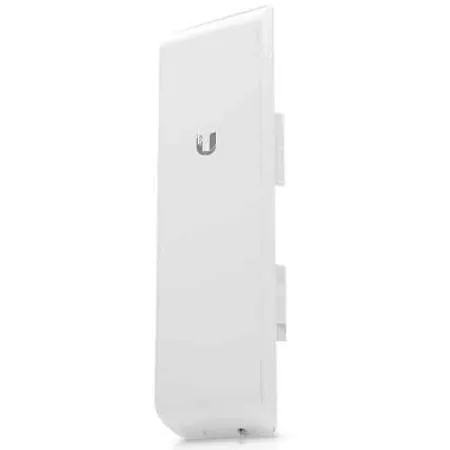
Buy Ubiquiti NanoStation M5 in Kenya. Build compatible 5GHz outdoor wireless links with an integrated directional antenna and passiv
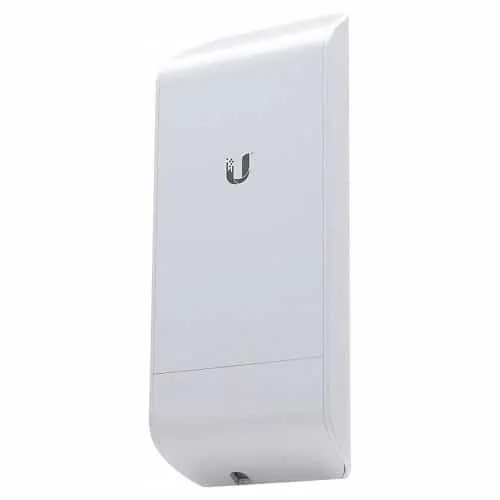
Buy Ubiquiti NanoStation Loco M5 in Kenya from Ubiquiti UniFi Kenya for compact 5GHz airMAX M links and compatible outdoor customer
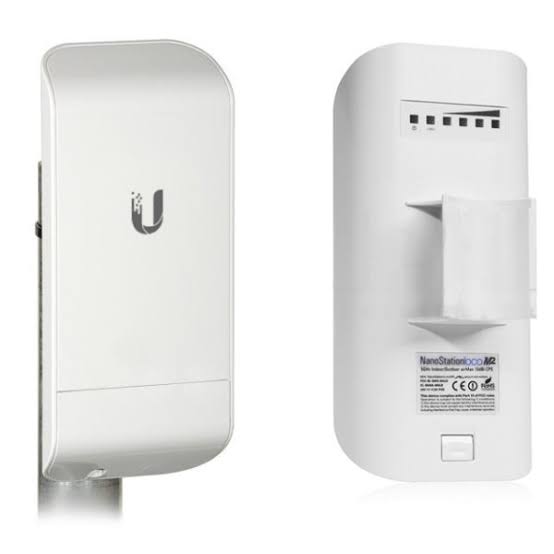
Buy Ubiquiti NanoStation Loco M2 in Kenya from Ubiquiti UniFi Kenya for compact 2.4GHz airMAX links and compatible outdoor network c
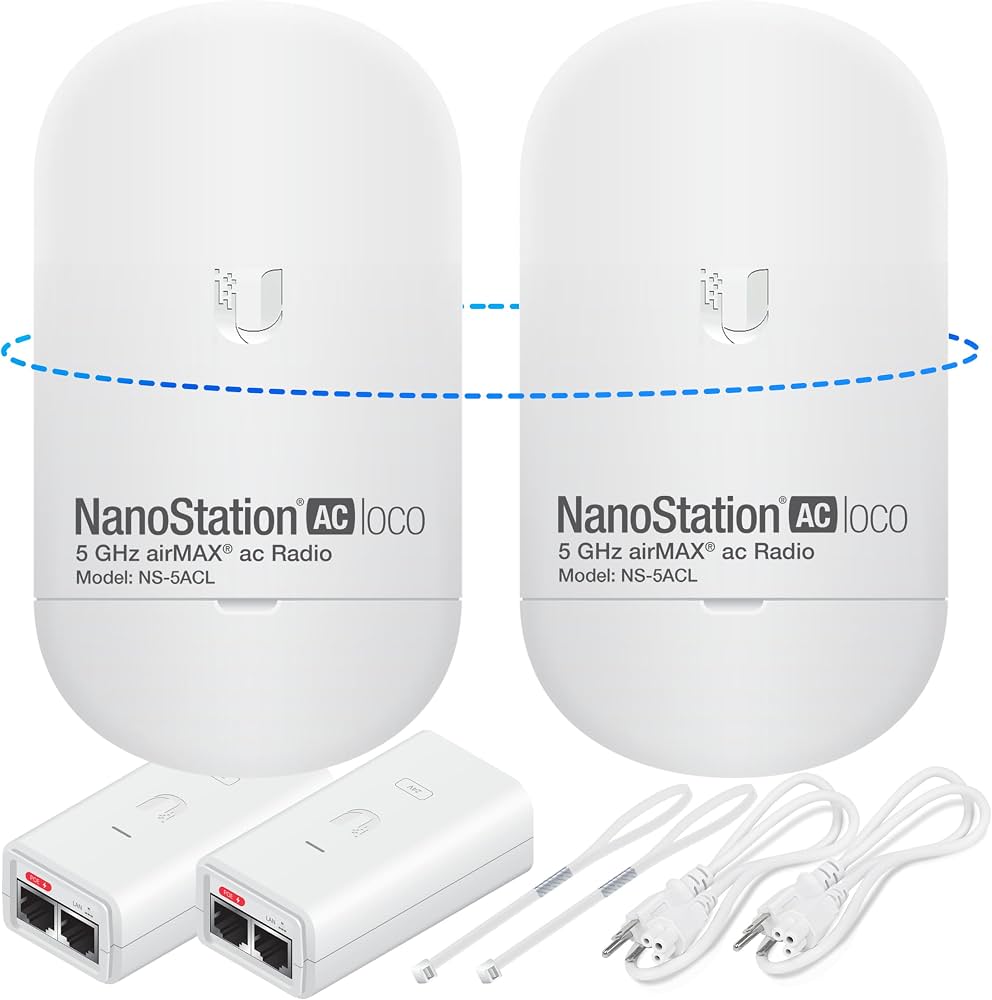
Buy Ubiquiti NanoStation 5AC Loco in Kenya from Ubiquiti UniFi Kenya for compact airMAX AC links, Gigabit Ethernet, and directional