Who is this product best for?
- PoE for access points and cameras
- Office LAN switching
- Network rack expansion and uplinks
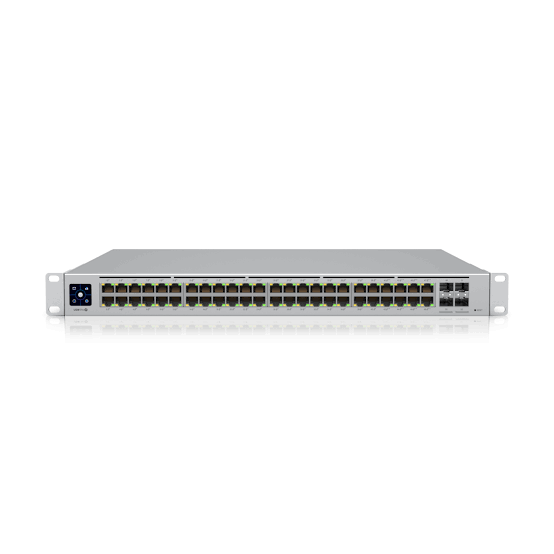
Works with compatible Ubiquiti UniFi, UISP or standard Ethernet networking equipment. Confirm controller, power and mounting requirements before purchase.
Check the product label or manufacturer datasheet for exact input voltage, PoE support and power adapter requirements.
The UniFi Pro 48 PoE USW-Pro-48-PoE is a managed UniFi switch for buyers who want a clearly organized wired network with centralized administration. Its 48-port copper access layout serves local Ethernet devices, while the separate uplink interfaces connect the switch to the wider network. It can form part of an office, school, hotel, retail, or branch deployment when its actual port speeds, power arrangement, and management requirements fit the project. Choose it around the devices and traffic you need to support rather than the model family name alone.
A managed switch is useful when a network needs more than extra sockets. Port assignments, traffic separation, troubleshooting records, and a consistent configuration can make a growing installation easier to maintain. The switch still depends on the rest of the design: the gateway supplies the intended internet and security functions, access points provide wireless coverage, and cabling carries the required connections. Confirm those supporting components together so the purchase delivers a complete working system.
Feature
Specification
Model
USW-Pro-48-PoE
Copper ports
48 × 1GbE RJ45
Uplinks
4 × 10G SFP+
PoE arrangement
40 PoE+ and 8 PoE++ ports
Total PoE budget
600W
Switching capacity
176Gbps
Management
UniFi Network
Routing class
Supported Layer 3 features
Mounting
1U rackmount
Etherlighting
Not a feature of this model
Plan the copper connections and uplinks as separate resources. A desk computer, printer, camera, access point, and downstream switch can place different demands on the same patch field. Count fixed infrastructure before assigning user outlets, and leave a sensible allowance for future additions. A switch with enough physical sockets today can still be a poor fit if all useful ports are occupied immediately or if the common uplink cannot carry the required simultaneous traffic.
The speed shown for a port is an interface capability rather than a guaranteed application result. The endpoint adapter, cable, terminations, and remote equipment must support the intended rate. File transfers can also be limited by a storage device or server, while internet tests depend on the subscription and test destination. Verify the negotiated Ethernet rate during commissioning and test a representative local traffic path before concluding that a slow result is caused by the switch.
The Pro 48 PoE provides Gigabit copper access rather than a multi-gigabit copper group. Its faster uplinks are useful for collecting traffic from many access ports, but they do not upgrade an individual copper port beyond its supported rate. Compare the Pro Max range if the project specifically requires faster access-point or workstation interfaces.
Map the available PoE classes to the actual endpoints and retain a total power calculation. For a large powered-device rollout, consider which services share the same power and switching dependency. Document camera locations and access-point positions alongside port numbers. This makes a later power-budget change or replacement device easier to assess without tracing every cable again.
Use a supported UniFi Network deployment for adoption, configuration, and monitoring. Decide who owns the site and administrator account before installation, particularly when an outside installer performs the work. Keep the management system accessible to the responsible business administrator and preserve recovery details securely. A switch belonging to a previous site may need a planned transfer or reset; do not erase a working configuration simply because the new administrator cannot immediately see it.
Central management is most useful when device names and port descriptions reflect the physical installation. Label the switch by location, identify its uplink, and describe important endpoint ports. Record the cabinet, floor, or room served by each cable. This turns the management interface into a practical support tool instead of an unexplained list of active connections. Review changes after provisioning and verify the actual service rather than assuming that a saved setting has reached every relevant device.
A network can separate staff devices, guest access, cameras, and management traffic through a coordinated VLAN design. The switch port configuration is only part of that design. The gateway, upstream links, downstream switches, and access points must carry or terminate the same intended networks. A named VLAN without the corresponding addressing and policy is incomplete. Define what each device should reach, then apply port settings that support that service requirement.
For an ordinary endpoint, assign the intended untagged network on its port unless that endpoint is specifically configured otherwise. For an access point or downstream switch carrying several networks, plan the native network and allowed tagged networks deliberately. Do not send every internal network to every outlet by default. Test both permitted access and blocked access using representative devices. A guest device receiving an address is not proof that it is isolated from business equipment.
Select the uplink around the actual counterpart and cable route. A compatible direct-attach cable can suit an appropriate short connection, while fiber modules require matching optical characteristics at both ends. Check interface speed, fiber type, connector, and supported module use together. Do not choose a transceiver solely because it physically fits the cage. A mismatched optic or unsupported rate can leave an otherwise correctly configured switch disconnected from the rest of the site.
Consider how traffic crosses that uplink. Many local devices can operate comfortably until their simultaneous transfers converge on a shared connection. Camera recording, backup jobs, and cloud uploads can change the busy-period load. Link aggregation, where used, requires a compatible configuration at both ends and does not automatically make an individual transfer run at the sum of all member rates. Size the connection around realistic traffic rather than multiplying access-port counts by a headline speed.
The powered ports can combine Ethernet connectivity with a supported endpoint power supply, reducing the need for individual injectors where the device requirements match. Check the exact PoE class and port group for every access point, camera, phone, or other endpoint. A legacy passive-PoE device is not automatically compatible with a standards-based powered port. Brand similarity and an RJ45 socket do not replace the electrical compatibility check.
Calculate the shared power requirement before installation. Use appropriate device specifications rather than only idle readings, and allow for the operating conditions relevant to the site. An endpoint may draw more during startup or when additional functions are active. The switch's total budget and the individual port capability are separate limits. A device can fit one and exceed the other, so retain both checks in the deployment record.
The switch supports documented Layer 3 functions, but their use should follow an explicit routing plan. Decide whether local inter-network traffic should be routed by the switch or by the gateway. Moving that traffic can change which controls it crosses. Do not assume a switch route provides the same stateful inspection and security behavior as the gateway. Check the intended software version and exact supported features before designing around a particular routing function.
Keep administration separate from ordinary guest use. Restrict access to the management system, use individual administrator identities where practical, and preserve recovery information securely. Changes to an uplink or management network can disconnect the switch from its controller, so perform them with a working access plan. A remote configuration change should be judged by its effect on the service path, not simply by whether the interface accepted the new value.
Choose a protected indoor location with appropriate ventilation, reliable power, and enough clearance for cables and service access. A rack installation needs suitable mounting hardware and cabinet depth for the chassis, connectors, and bend radius. A compact desktop or wall installation still needs secure support and cable strain relief. Avoid placing the switch where a visitor can accidentally disconnect an important uplink or where dust and heat make routine operation difficult.
Test and label permanent cabling before connecting a large endpoint group. A damaged pair or poor termination can reduce link speed and create intermittent errors that resemble a switch fault. Keep fiber connectors clean and protected, avoid sharp cable bends, and arrange patch cords so labels remain readable. If the route leaves the building, use an appropriate overall cabling and protection design rather than assuming an indoor switch port is suitable for an exposed outdoor connection.
An office can use the switch to organize staff outlets, printers, access points, and the connection back to the gateway. A school or training center can map classrooms and administrative areas into a documented port plan. A hotel can coordinate guest access and operational devices through an appropriate network design. In each case, the useful capacity depends on the active applications and upstream resources, not merely on the number of Ethernet connections available.
For a CCTV deployment, assess where recording occurs and how camera traffic crosses the network. Keep access to recorders and cameras limited to the intended users. For a branch or retail site, consider payment equipment, business applications, and support access separately from visitor connectivity. Select the switch and policies around those actual services. A large port count should simplify the installation, not encourage unrelated devices to share unrestricted access by default.
1. Prepare the deployment record. List endpoints, cable destinations, intended networks, uplink requirements, and any endpoint power needs. Confirm that the delivered model matches the quotation, including the PoE suffix where applicable. Preserve the existing configuration and cable map before replacing an operational switch.
2. Prepare UniFi Network. Use a supported console, hosted deployment, or self-hosted application with the required administrator access. Check software compatibility for the exact switch. Decide the site ownership and backup arrangement before adoption so the business retains appropriate access after the installer completes the work.
3. Mount and power the switch. Follow the model's installation instructions and use the correct supplied or approved power equipment. Provide ventilation and cable clearance. Confirm any separately required rack accessory. Keep the mains connection accessible and include the switch in the site's backup-power plan where required.
4. Connect a single planned uplink. Use a suitable Ethernet cable, supported direct-attach cable, or matched optical arrangement. Begin with a straightforward management path and avoid connecting redundant links before their design is configured. Check the upstream port and negotiated speed if discovery does not work as expected.
5. Locate and adopt the switch. In UniFi Network, open the device list and select the new switch for adoption. Allow provisioning to finish. If the unit belongs to another installation, arrange the appropriate transfer or reset only after preserving the necessary information. Confirm its identity before acting on a similarly named device.
6. Name the device and establish management. Assign a useful location-based name and an appropriate addressing arrangement. If a dedicated management VLAN is required, confirm that it exists across the entire path before moving the switch. Keep a local recovery route available while changing settings that can interrupt controller connectivity.
7. Create or confirm the intended networks. Define the required VLAN IDs, gateway interfaces, DHCP service, and access policy in the wider design. Add the corresponding network definitions to the management environment. Avoid enabling a second unintended DHCP server or assuming that a VLAN name creates its gateway automatically.
8. Apply port settings in controlled groups. Assign ordinary endpoint ports to their intended untagged networks. Configure uplinks and access-point connections for the required native and tagged traffic. Test a representative port before applying the same configuration broadly. Keep the uplink identifiable throughout the change.
9. Connect compatible powered endpoints in stages. Use ports with the correct PoE class and review the total allocation as devices start. Keep legacy passive-PoE equipment on its approved power arrangement unless an explicit compatible conversion design is in place. Investigate unexpected power refusal before forcing or substituting a source.
10. Verify individual services. Check expected addresses, local resources, internet access, and relevant applications from representative networks. Test guest or camera isolation as well as connectivity. Confirm wired rates and investigate interface errors. A green link indicator alone is not a complete acceptance test for a managed installation.
11. Apply additional features only where the design needs them. Configure supported aggregation, multicast controls, loop prevention, or routing deliberately and test their effects. Do not enable several unfamiliar settings at once. Keep records of the initial working state so a change can be assessed and reversed if necessary.
12. Save and hand over the installation. Confirm management backups, port descriptions, cabling labels, administrator ownership, and the agreed support process. Record any optics and power accessories used. Test recovery after a planned restart where practical and retain commissioning results for comparison during future fault diagnosis.
Symptom
Initial checks
Not discovered
Power, DHCP, management path, existing adoption, application compatibility
Endpoint has no network
Cable, port status, VLAN assignment, DHCP, gateway path
Lower than expected speed
Endpoint interface, cable pairs, negotiated rate, uplink, test destination
Intermittent group outage
Loops, common uplink, mains supply, configuration changes
PoE endpoint stays off
Port power class and shared budget
Diagnose from the physical connection toward the application. Establish power and link first, then management access, addressing, local traffic, and internet service. If several devices fail together, investigate their shared dependencies before changing every endpoint. Retest after a single controlled change. Keep interface statistics and recent configuration history available so a transient fault can be compared with evidence rather than addressed through repeated factory resets.
Central management, a documented port plan, and useful interface visibility can make the switch valuable in an installation that has outgrown unmanaged expansion. Its defined access and uplink layout allows the network to be specified deliberately. Compatible endpoint power can be centralized where the powered-port arrangement fits the deployment. The practical benefit is strongest when configuration ownership, cabling, and backup records are maintained alongside the hardware.
The switch needs management planning and a suitable surrounding network. It does not create an internet subscription or provide wireless coverage on its own. Port speed, uplink capacity, and endpoint power requirements remain limits that must be checked. A model with the same socket count may still be unsuitable because its power classes or management environment differ. Include optics, mounting accessories, cabling, power protection, and configuration work when comparing the complete project cost.
Standard Ethernet connectivity can be used with an appropriate third-party router. UniFi management remains a separate requirement, and VLANs, DHCP, routing, and security must be coordinated across both systems. A third-party gateway is not automatically managed or configured merely because the switch has been adopted.
No. It provides wired network connections. A suitable access point adds wireless client coverage and needs its own configuration and power arrangement. Plan access-point placement around the building and user demand rather than expecting the switch location to determine where wireless coverage will be strongest.
A shared uplink carries the traffic that needs to cross it. Individual access ports and endpoints retain their own limits, and simultaneous demand can converge on common resources. Test the expected busy-period traffic rather than treating the uplink rate as a guaranteed speed allocation for every connected device.
Confirm the full model suffix, copper-speed mix, uplink type, power arrangement, mounting accessory requirements, and management compatibility. For a replacement, add the existing port map and endpoint list. Those details help distinguish a direct replacement from an alternative that needs changes elsewhere in the installation.
As a planning example, 48 endpoints with an assumed 12W allocation each would total 576W. This is an illustration, not the consumption of a particular access point or camera. Compare that figure with the model's 600W shared budget, then replace the assumed value with the actual requirement of every selected endpoint. Check the individual port class separately. The example shows why a count of powered sockets cannot by itself prove that the entire proposed installation fits the available supply.
At handover, keep the accepted traffic test, current port map, management backup, and supporting accessory list together. Identify which changes require another review, such as adding more powered endpoints, replacing an access point with a higher-power model, moving a gateway, or changing the uplink. A clear baseline makes future maintenance more reliable because the technician can compare the current installation with a known working design rather than reconstructing its purpose from cable colors and device names.
Choose the UniFi Pro 48 PoE USW-Pro-48-PoE from Ubiquity UniFi Kenya after matching the actual endpoint list and network design. Confirm the full model, package contents, warranty, delivery arrangements, and any required modules or mounting accessories. For a new installation, provide the intended port and power requirements. For a replacement, share the existing device and cable map so the migration can be planned around the services that must remain available.
Prioritize the exact model when comparing replacement equipment. Related switches below have different port layouts, power budgets, management systems, and uplink speeds. An alternative should be assessed as a complete design change where those differences affect the installation.
UniFi Pro 48 PoE at Orbitlink; UniFi USW-24-PoE at Orbitlink; UniFi USW-48-PoE at Orbitlink
UniFi Pro 24 PoE at Network Switch Kenya; UniFi Standard 24 PoE at Network Switch Kenya; UniFi Pro 48 data-only switch
UniFi Standard 48 PoE at Network Switch Kenya; D-Link DGS-1210-52MP managed PoE alternative; MikroTik CRS326-24G-2S+RM data-switch alternative
MikroTik CRS354-48P-4S+2Q+RM PoE alternative; UniFi Standard 24 PoE at Reisen; Managed 24-port D-Link alternative at Tawa
Reviews are not available yet for this product.
UniFi Pro 48 PoE Price in Kenya is currently listed as available. Stock can change, so confirm availability before placing a large order.
The current listed price is KSh 195,000.00. Prices are generated from the product catalogue and may change when inventory is updated.
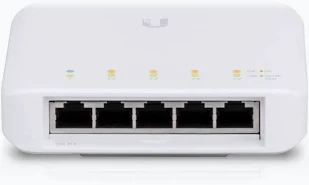
Buy UniFi Flex Mini in Kenya with five Gigabit ports, PoE or USB-C power input, compact construction, and centralized UniFi manageme
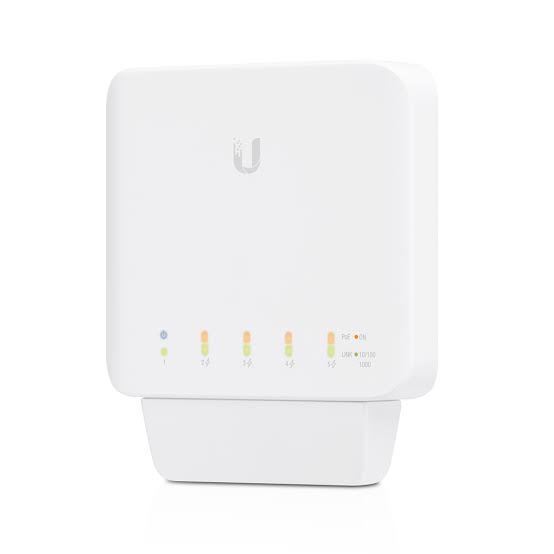
Buy UniFi Flex in Kenya with five Gigabit ports, four PoE+ outputs, upstream PoE power, and flexible indoor or outdoor installation.
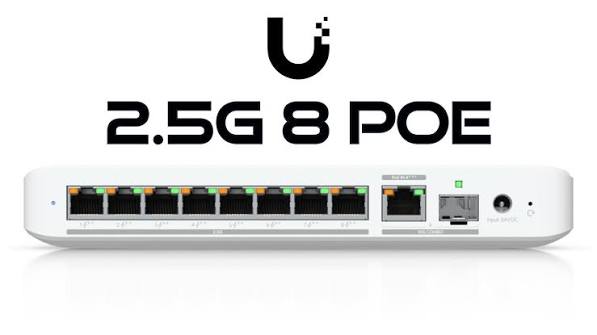
Buy UniFi Flex 2.5G in Kenya with eight 2.5GbE ports, a shared 10G RJ45/SFP+ uplink, and PoE+ or USB-C power input.
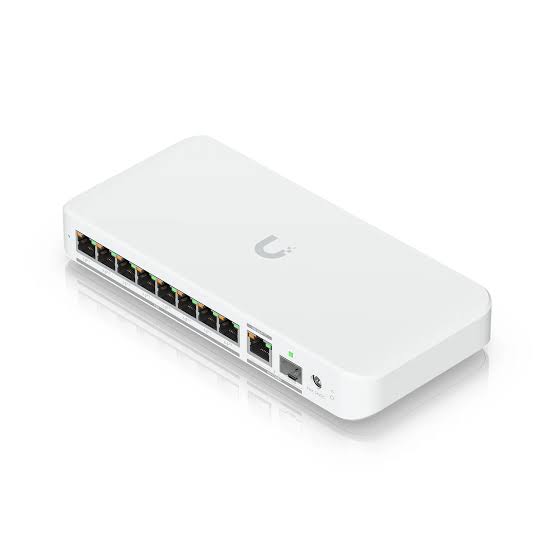
Buy UniFi Flex 2.5G PoE in Kenya with eight 2.5GbE PoE++ ports, a shared 10G combo uplink, and flexible power input options.